
Know how you’re landing, while it still matters.
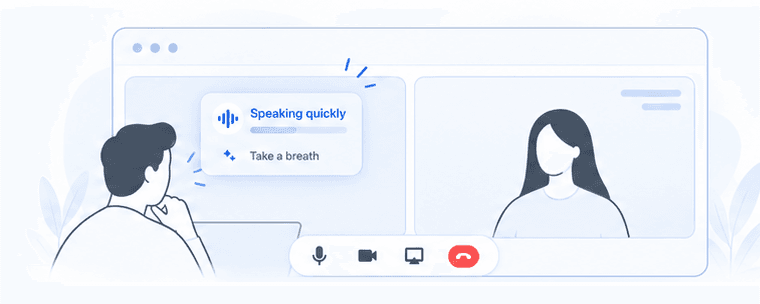
Nuan gives you quiet cues on how you’re speaking and helps you bring your talking points back into focus when a high-stakes call takes a turn.
5 free coaching sessions or 30 days from your first session, whichever comes first. No card required.
“I can change the way I speak immediately because the cue just pops up.”
One Mac app, besideZoomGoogle MeetMicrosoft Teamsany call tool
What you get
- During the call
How you communicate
Pace · filler words · circling too long · breathing
- When you’re stuck
Know what to say next
When you’re stuck, open Thought Cue to find a useful next point based on the conversation and what you prepared.
- After the call
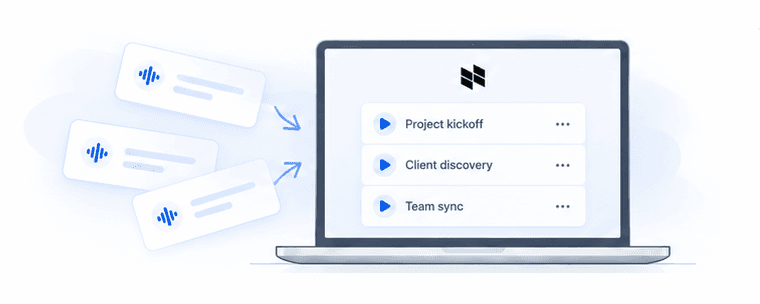
Notes + insights
- Summary
- Decisions
- Action items
- Open questions
- Talk time
- Pace
- Focus
- Filler words
Meeting Notes and communication insights

Keep what matters in view.
Before a call, add your goal, talking points, and any files you want to reference. During the call, Nuan’s quiet cues help you notice how you’re speaking. If the conversation takes a turn, open Thought Cue to reconnect with what you came to cover.
Illustrative example
- Before
A consultant prepares for a client call.
Meeting objective
Agree on what success looks like
Talking points
- Ask how the client will measure results
- Confirm the project scope
Reference context
Stored only on this Mac.
- During
The client asks about price early, so the consultant opens Thought Cue.
You could
Clarify how they’ll measure success before discussing price
- After
Nuan checks which talking points came up.
Preparation recap
1 of 2 points covered · 1 Thought Cue
- Covered: project scope
- Still open: success criteria
Find your edge
Discover how
Nuan helps founders and leaders.
From a tough client call to a practice interview, Nuan helps you keep your goal and talking points in view when the conversation takes a turn.
Founders & leaders
Bring the evidence you meant to share back into focus when an investor asks an unexpected question.
Consultants & client‑facing professionals
Return to the client’s goals when the conversation jumps ahead to price or scope.
People managers
Hold on to the issue, its impact and what changes next when a feedback conversation gets emotional.
Startup teams
Slow down on a dense tradeoff and bring the team back to the decision you need.
Recruiters & hiring managers
Keep your planned questions and follow-ups in view as an interview unfolds, whether you recruit, hire or interview.
Coaches & mentors
Keep the goal your client set in view when the session takes a new direction.
Job seekers
Practice telling a concise story, and get back to the result you wanted to highlight.
Students
Stay on your main argument during a practice presentation or project review.
Privacy by design
No bot in the room.
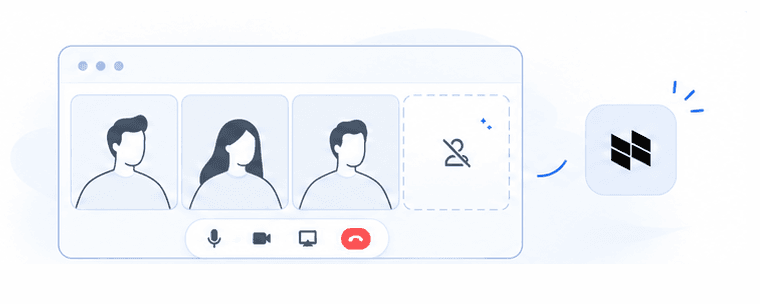
No meeting bot
Nothing joins the call or announces itself.
Private, visual-only cues
On your screen. Never a sound.
Stored on your Mac
Transcripts and session history are stored on your Mac.
You choose what stays
Choose how long to keep your session history.
How Nuan started
People didn’t ask for another notetaker.
They asked how they were landing.
Talked to people
Patterns emerged
Built Nuan
Early user love
What people are already telling us.
“I can change the way I speak immediately because the cue just pops up.”
IreneProduct Designer “Sometimes I’m in a meeting thinking, ‘What can I say?’ I love that it listens to the meeting and gives me advice during the meeting. That’s so cool.”
Jasmine WillisMarketing Designer · Bartlett Public Library “I do like it that it gives suggestions and the questions to ask.”
Tony MaiCo-Founder · Cnnect “I really like that it stays private and doesn’t put another bot into the meeting. This is something I’d use.”
Fred McHaleHead of Design · AI Product Builder “I speed up when I have a lot to say, and I have to remind myself to slow down because people don’t retain the information when it’s too quick.”
Frances PérezCreative Director · Stoat & Co “Filler-word feedback really helped when I was thinking about different things and going off-topic. In the summary, I could see how much I talked and the filler-word count. That really helps me know what to improve next time.”
Numan PatelProduct Designer “When I’m pitching to investors and they ask something I didn’t prepare for, that’s when I need help in the moment. Nuan’s Thought Cue could help me respond without taking over the conversation.”
Salman ShahProduct Design Leader · AI · Fintech “I don’t want AI to decide what I say. I like that Nuan gives me the signals (talk time, word counts and scores) so I can understand what’s happening and decide how I want to respond.”
YennieCreative Designer “Most of my meetings happen in person. I’d love something like this on my phone, like a little buddy on the side helping me know what questions to ask.”
Jasmine WillisMarketing Designer · Bartlett Public Library “If this does help live while we’re on the call, I think it would be very helpful. Not just for us. I think for a good amount of people that we work with as well.”
Tony MaiCo-Founder · Cnnect